潍坊零基础电脑办公学习,word excel

chengsenw 项目开发评论4阅读模式

潍坊零基础电脑办公学习,word excel

潍坊零基础电脑办公学习,word excel

潍坊零基础电脑办公学习,word excel

潍坊零基础电脑办公学习,word excel

潍坊零基础电脑办公学习,word excel

潍坊零基础电脑办公学习,word excel

潍坊零基础电脑办公学习,word excel

潍坊零基础电脑word学习!
word删除空白页的四种方法
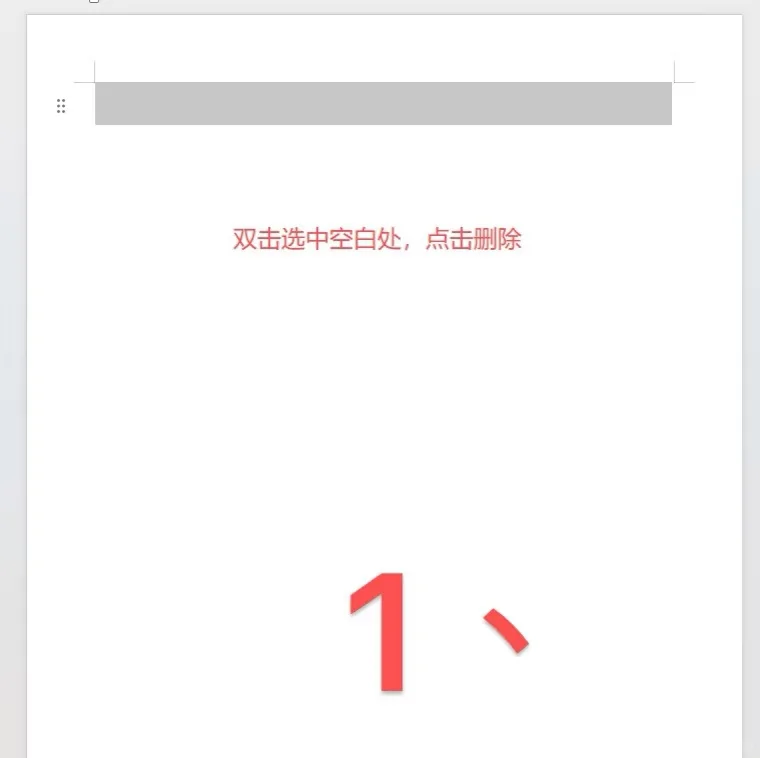
方法一:直接双击选中空白处,删除即可。
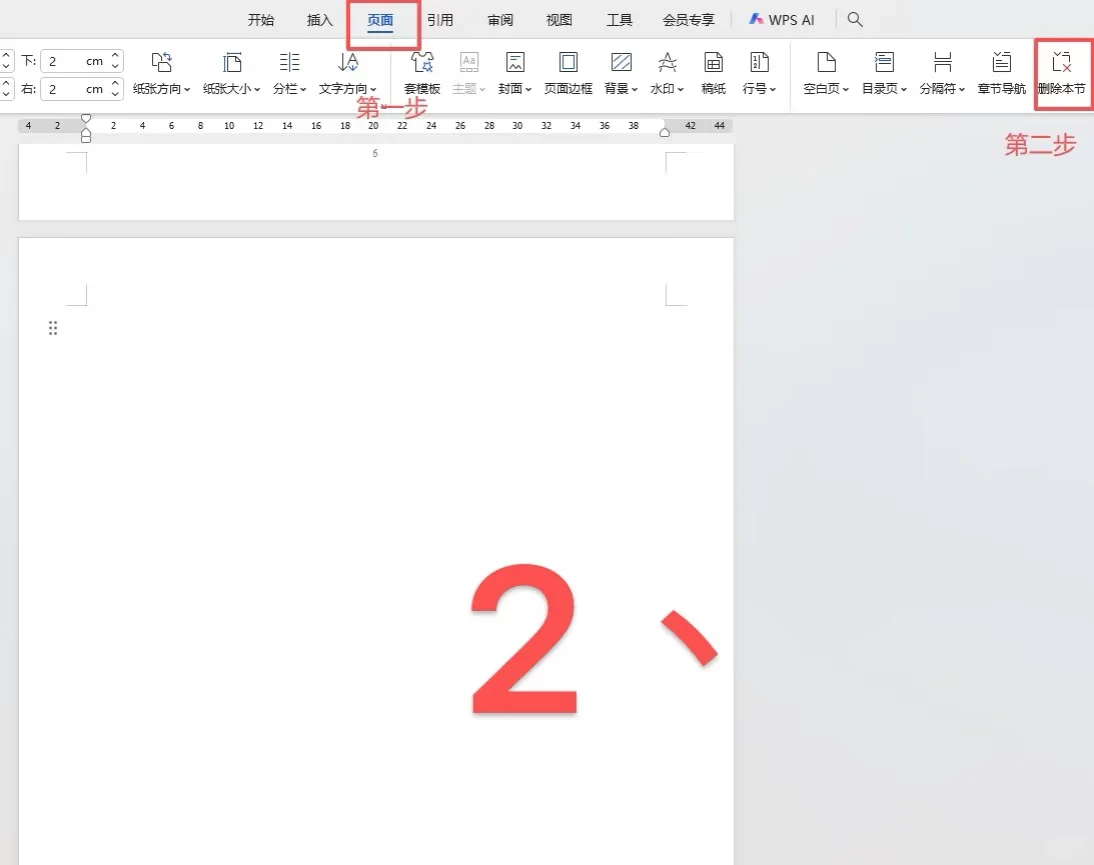
方法二:先点击“页面”,再点击右方的“删除本节”。
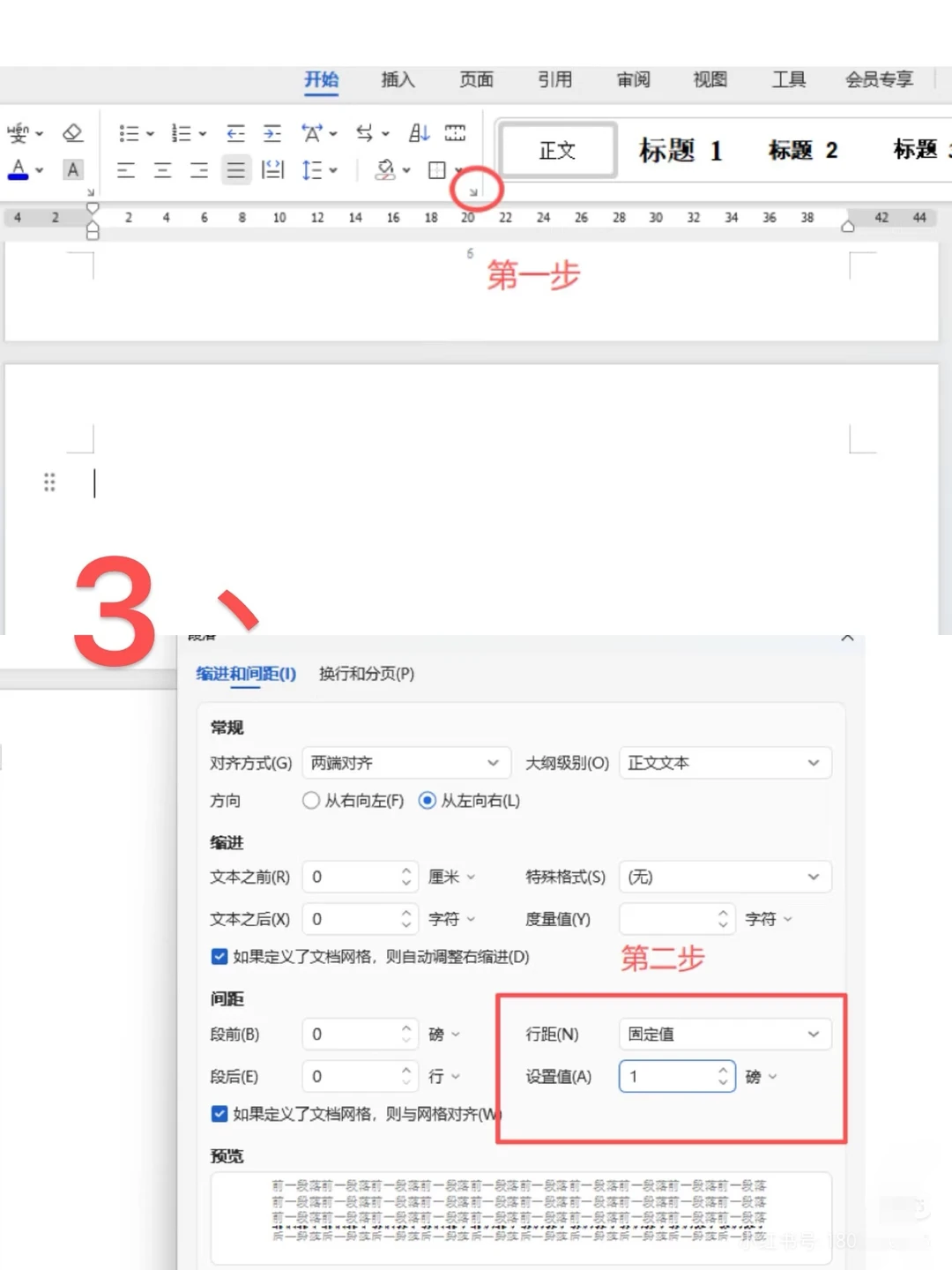
方法三:点击右键,选择“段落”,将行距设置为“固定值 1磅”。
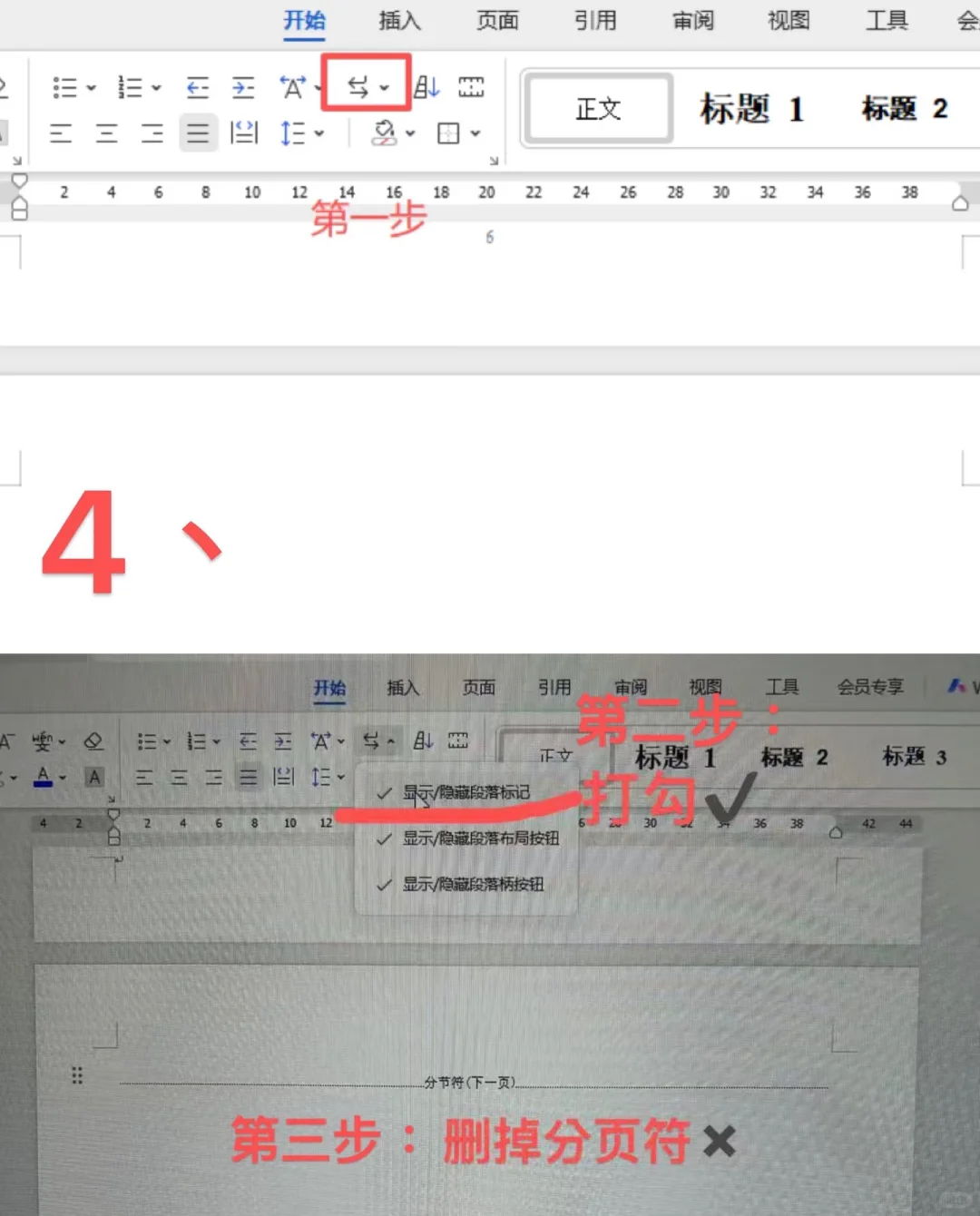
方法四:“开始”界面,将“显示/隐藏的段落标记”打勾,删掉分页符。
#零基础学电脑 #办公技巧 #excel表格 #word排版

 
chengsenw
  • 本文由 chengsenw 发表于 2025年12月15日 09:37:17
  • 转载请务必保留本文链接:https://www.gewo168.com/7539.html
匿名

发表评论

匿名网友

:?: :razz: :sad: :evil: :!: :smile: :oops: :grin: :eek: :shock: :???: :cool: :lol: :mad: :twisted: :roll: :wink: :idea: :arrow: :neutral: :cry: :mrgreen: