开始菜单从win11变回win10🔥🔥

chengsenw 项目开发评论3阅读模式

开始菜单从win11变回win10🔥🔥

开始菜单从win11变回win10🔥🔥
开始菜单从win11变回win10🔥🔥
开始菜单从win11变回win10🔥🔥

开始菜单从win11变回win10🔥🔥
开始菜单从win11变回win10🔥🔥
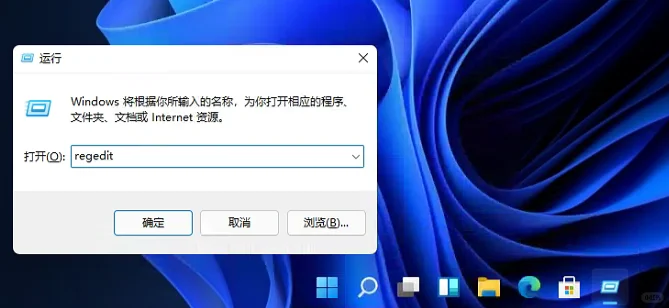
win+r打开运行框。
输入【regedit】回车打开。
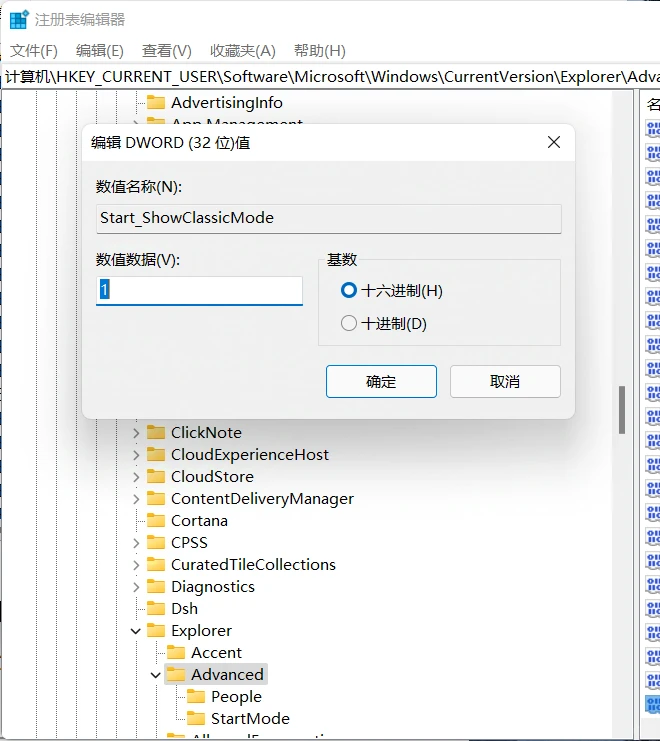
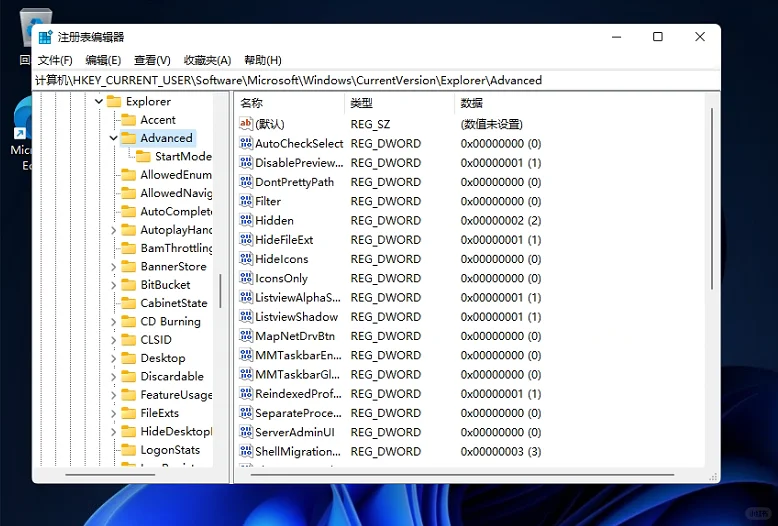
找到HKEY_CURRENT_USERSoftwareMicrosoftWindowsCurrentVersionExplorerAdvanced
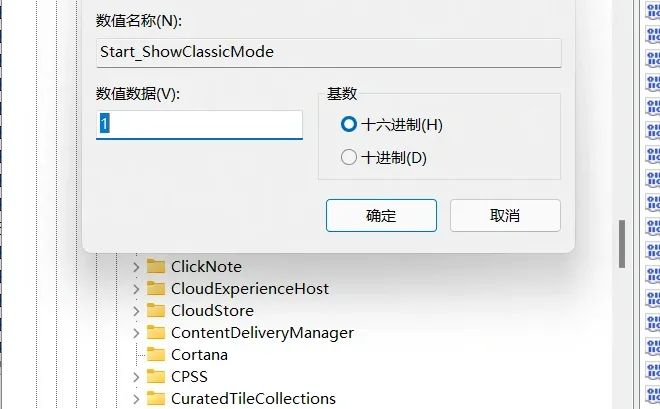
创建名为Start_ShowClassicMode的DWORD,值为1,十六进制的(默认就是)。
重启explorer进程。
如果想变回win11开始菜单,删除创建的DWORD,重启explorer进程即可。
#Windows #win11 #不懂就问有问必答 #开始菜单

 
chengsenw
  • 本文由 chengsenw 发表于 2025年12月19日 00:38:13
  • 转载请务必保留本文链接:https://www.gewo168.com/8724.html
匿名

发表评论

匿名网友

:?: :razz: :sad: :evil: :!: :smile: :oops: :grin: :eek: :shock: :???: :cool: :lol: :mad: :twisted: :roll: :wink: :idea: :arrow: :neutral: :cry: :mrgreen: