[技巧] 解决Windows 11系统更新时出现处理器popCnt)(报错
这是此前蓝点网发过的一篇教程的改进版,当时蓝点网注意到微软在Windows 11金丝雀测试版中修改东西。
这导致常规方法绕过CPU/BIOS/TPM无效,然后我在虚拟机中安装的金丝雀测试版就没法更新到最新版本。
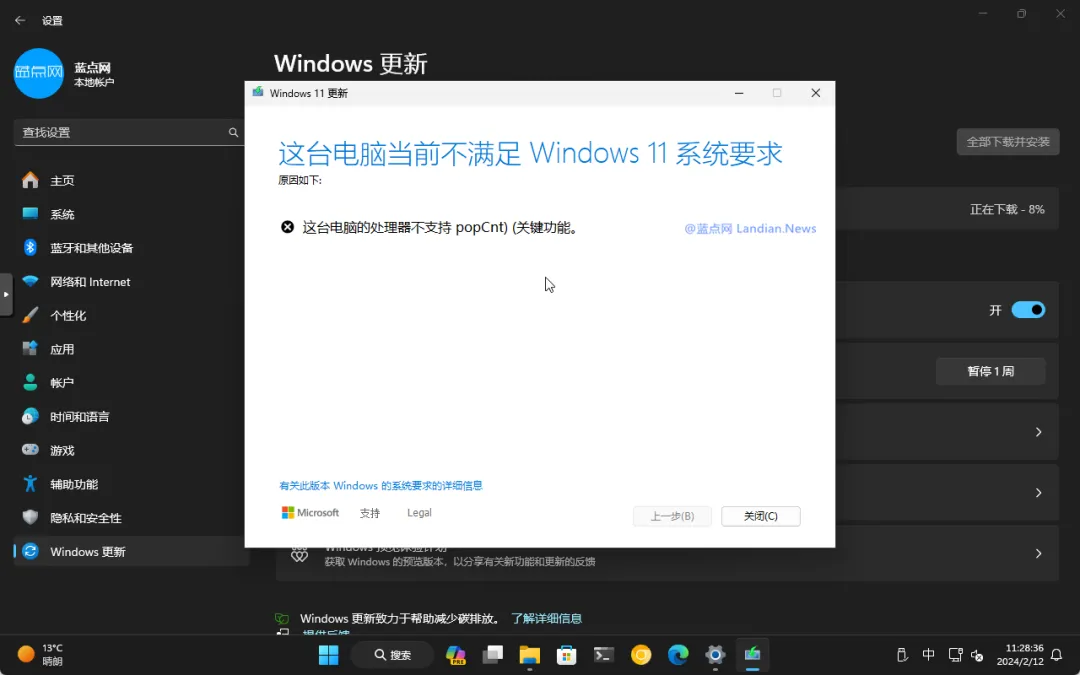
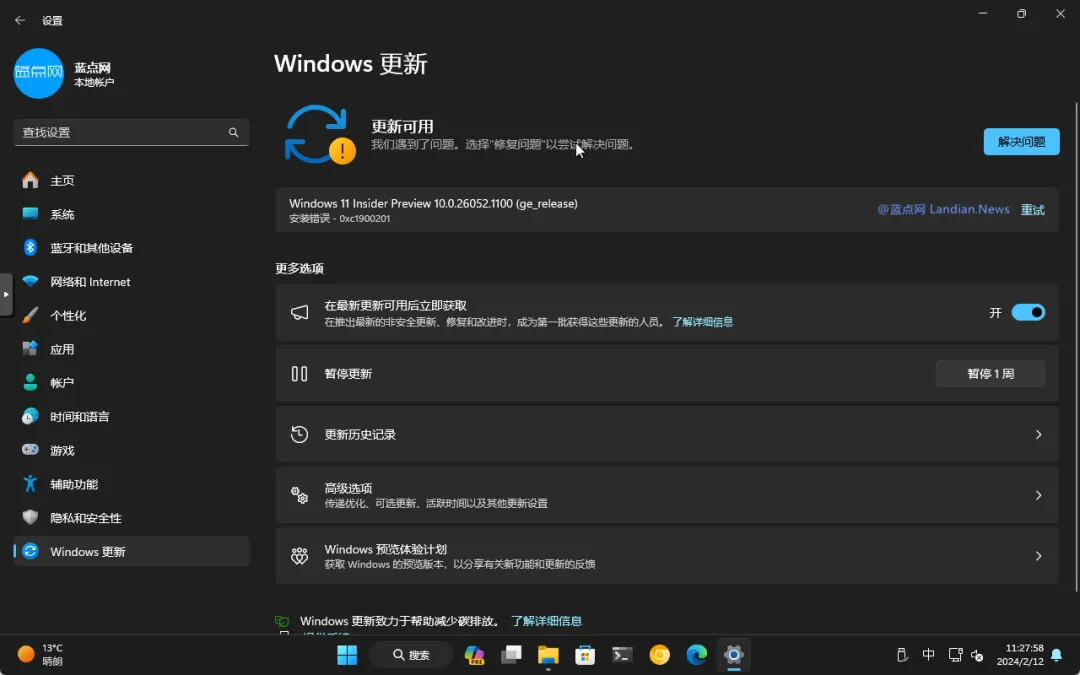
更新时还提示:这台电脑的处理器不支持popCnt)(关键功能 , 现在这种情况也已经抵达Windows 11开发版。
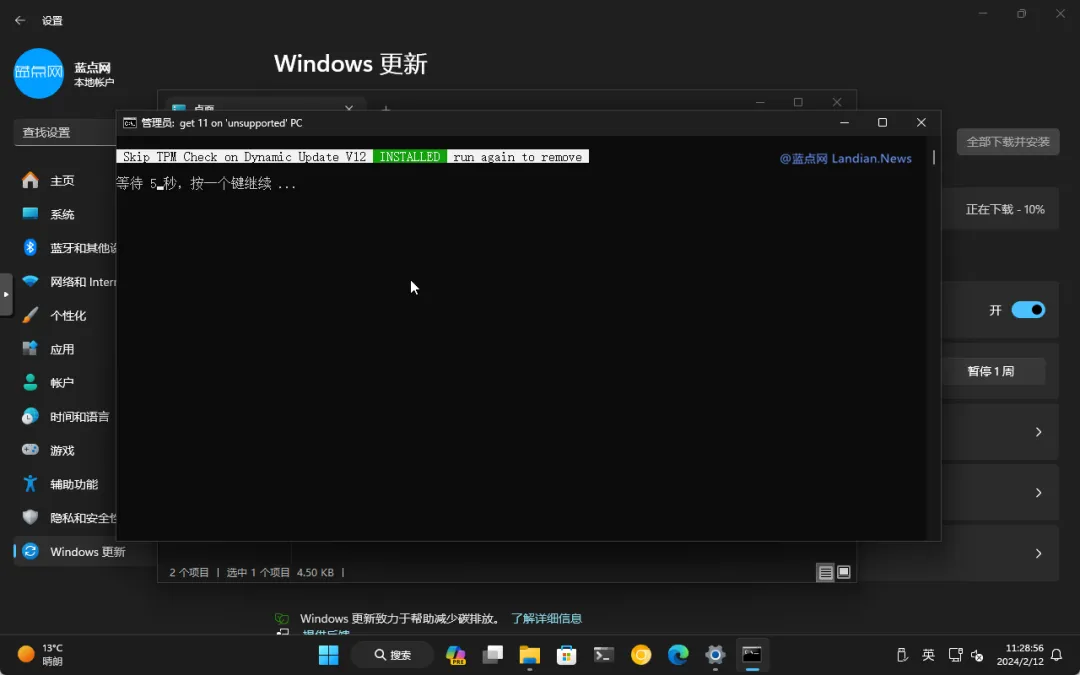
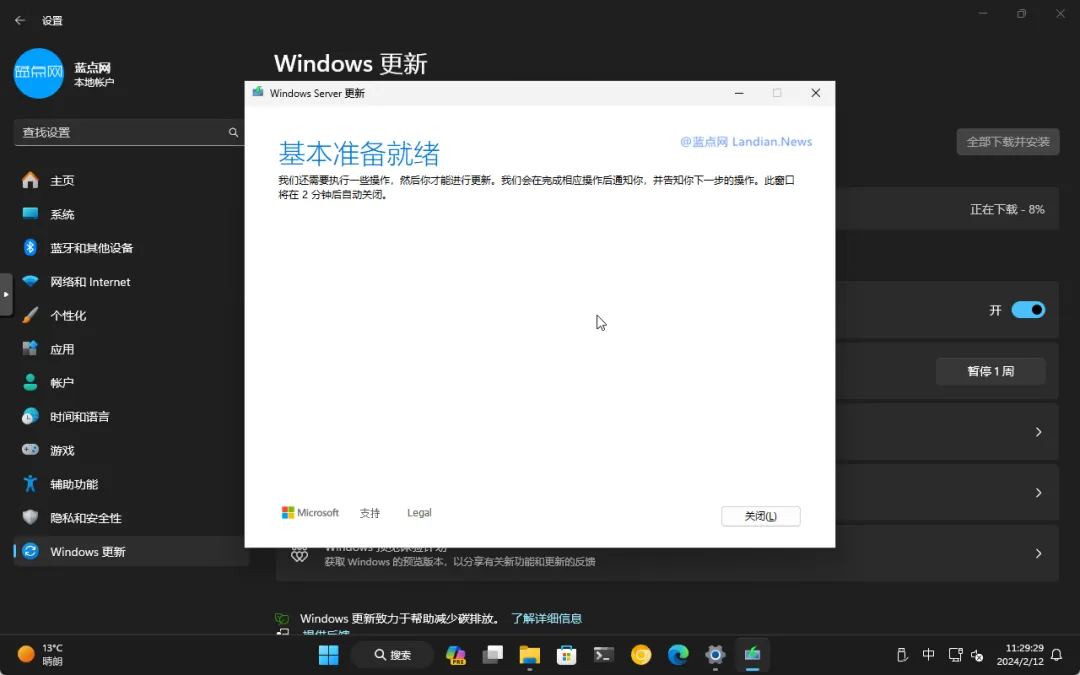
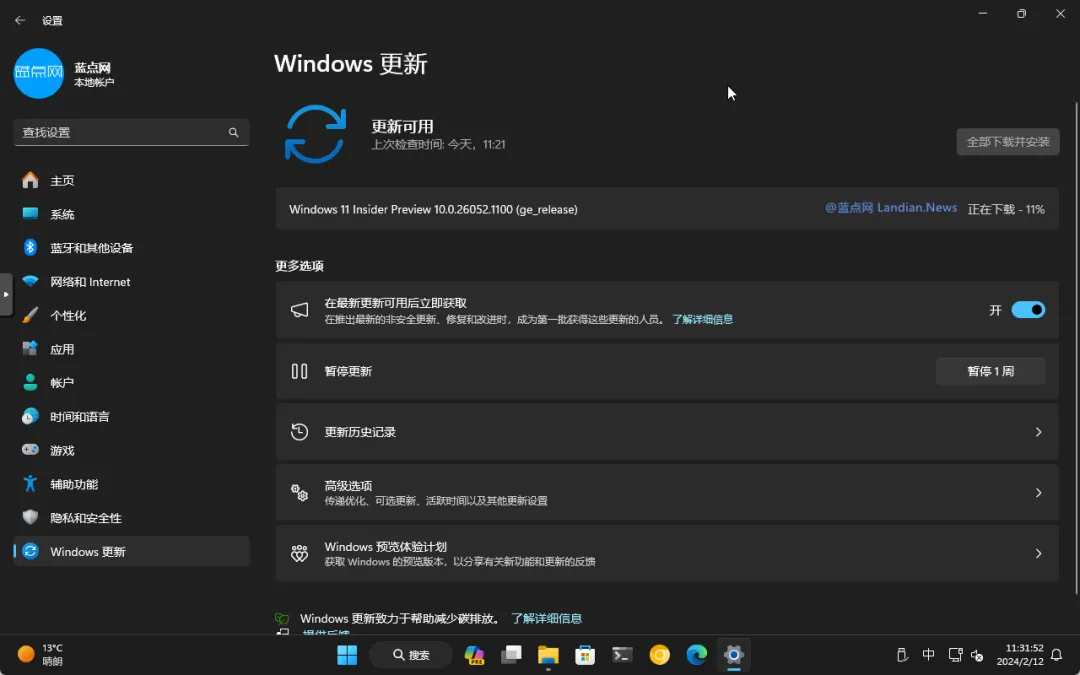
如果你在更新Windows 11开发版或金丝雀版时出现类似提示,那就可以使用本文提供的方法完成版本更新。
脚本下载地址:
下面是完整使用方法:
![[技巧] 解决Windows 11系统更新时出现处理器popCnt)(报错](https://img.bim99.cn/ssd/ssd4/121/2026-01-01/121_17672683073111.webp)
![[技巧] 解决Windows 11系统更新时出现处理器popCnt)(报错](https://img.bim99.cn/ssd/ssd4/121/2026-01-01/121_17672683183883.webp)
![[技巧] 解决Windows 11系统更新时出现处理器popCnt)(报错](https://img.bim99.cn/ssd/ssd4/121/2026-01-01/121_17672683205211.webp)
![[技巧] 解决Windows 11系统更新时出现处理器popCnt)(报错](https://img.bim99.cn/ssd/ssd4/121/2026-01-01/121_17672683254112.webp)
![[技巧] 解决Windows 11系统更新时出现处理器popCnt)(报错](https://img.bim99.cn/ssd/ssd4/121/2026-01-01/121_17672683319636.webp)


评论